Seven AI UX design methods we use on new websites, from research and same-day prototypes to interactive tools, testing and AI search.
AI has changed how we design new websites more in the last two years than anything since mobile. Not because it designs the site for you, but because it removes most of the slow, expensive steps between a rough idea and something a customer can actually try. Used well, that means better decisions earlier, more of the budget spent on what makes enquiries, and fewer surprises after launch.
Here are the AI UX design methods we use on new website projects at Higher Ground, what each one is good for, and where a person still has to make the call.
1. AI-assisted research before anything is designed
Every good website starts with understanding why people buy, and why they don't. That evidence is usually scattered across enquiry emails, reviews, sales call notes, support tickets, competitor sites and search data. Reading it all used to take days, so most projects skipped it.
AI can now sort hundreds of comments into themes in an afternoon: the questions people ask before they enquire, the objections that stall a sale, the words customers use for your service. That shapes everything that follows, from the navigation to the headlines. For specialist contractors it often shows that homeowners and main contractors want very different things from the same site, which is something we plan for from day one.
The person's job here is judgement. AI will tell you what comes up most often; it won't tell you which customers are worth the most to you. We always check its themes against your sales team's view before they shape the design.
2. Prompt-to-prototype in days, not weeks
This is the biggest change. Instead of moving from sketches to static mock-ups to a prototype over several weeks, we can now turn a brief, a workshop or even an existing document into a working, clickable prototype within days.
In a recent session with a construction client, we took his existing Word proposal and CAD drawings and turned them into an interactive 3D quote that clients can explore, the same day. You can try it on our AI and UX consultancy page. Seeing something real that early changes the conversation: people react to what they can use, not to what they imagine from a document.
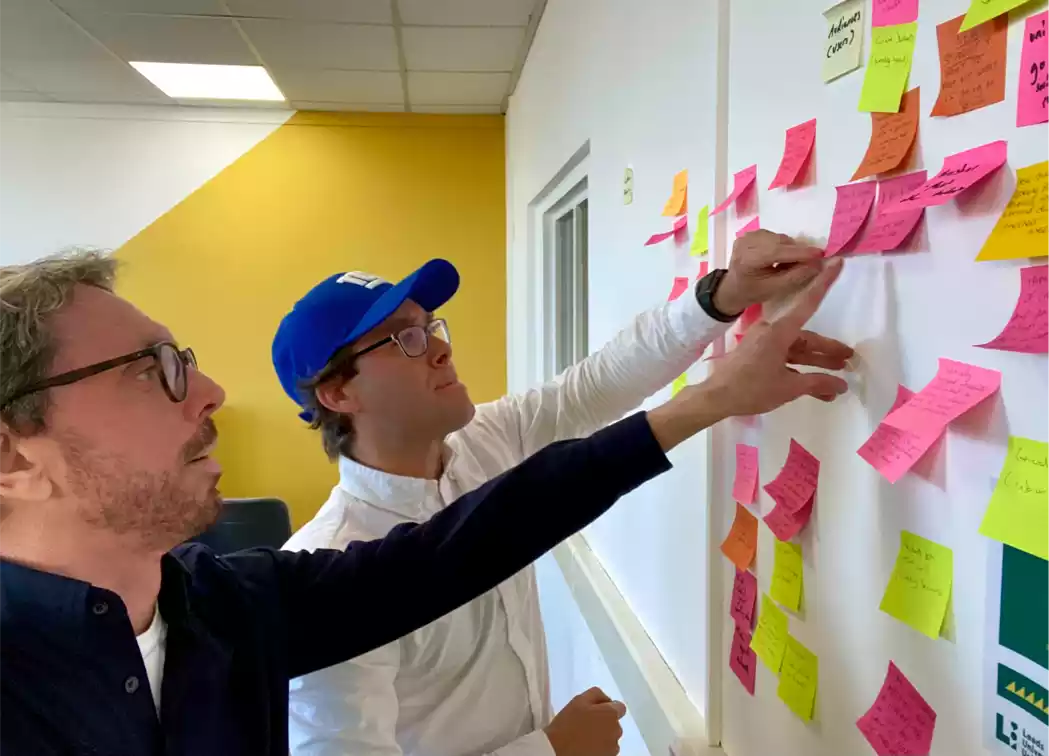
We still start most projects with a short workshop, often using Crazy 8s, so the prototype reflects the whole team's ideas rather than whatever the first prompt produced. Our post on why prototyping is useful explains why testing early saves so much later.
3. Interactive tools that used to be out of reach
Quote calculators, product configurators, comparison tools, booking flows and live dashboards used to be too expensive for most small and mid-sized firms. AI-assisted coding has brought the cost down sharply, so they're now realistic on a typical new website.
They matter because they give visitors a reason to engage before they're ready to call. On our Couriers & Freight case study you can switch a freight booking dashboard between light and dark mode and add shipments to a batch. On JCB's machine pages, giving buyers what they needed to compare models and ask for a price lifted new machine enquiries by 66%. A tool that answers the buyer's real question will usually outperform another page of copy.
Got an idea for a tool your customers would use? Tell us about it and we'll show you what a first prototype could look like.
4. Faster content and copy variations
AI is useful for drafting: page outlines, alternative headlines, FAQ answers based on real customer questions, and plain-English rewrites of technical copy. It's especially good at producing several versions of the same message so you can compare them.
It's poor at proof. It doesn't know your projects, results or accreditations, and it will invent them if you let it. We write the claims, case studies and figures ourselves and use AI to speed up the structure and the editing. Our guides to copywriting for CRO and UX writing cover the principles we apply to whatever AI drafts.
5. Testing and personalisation after launch
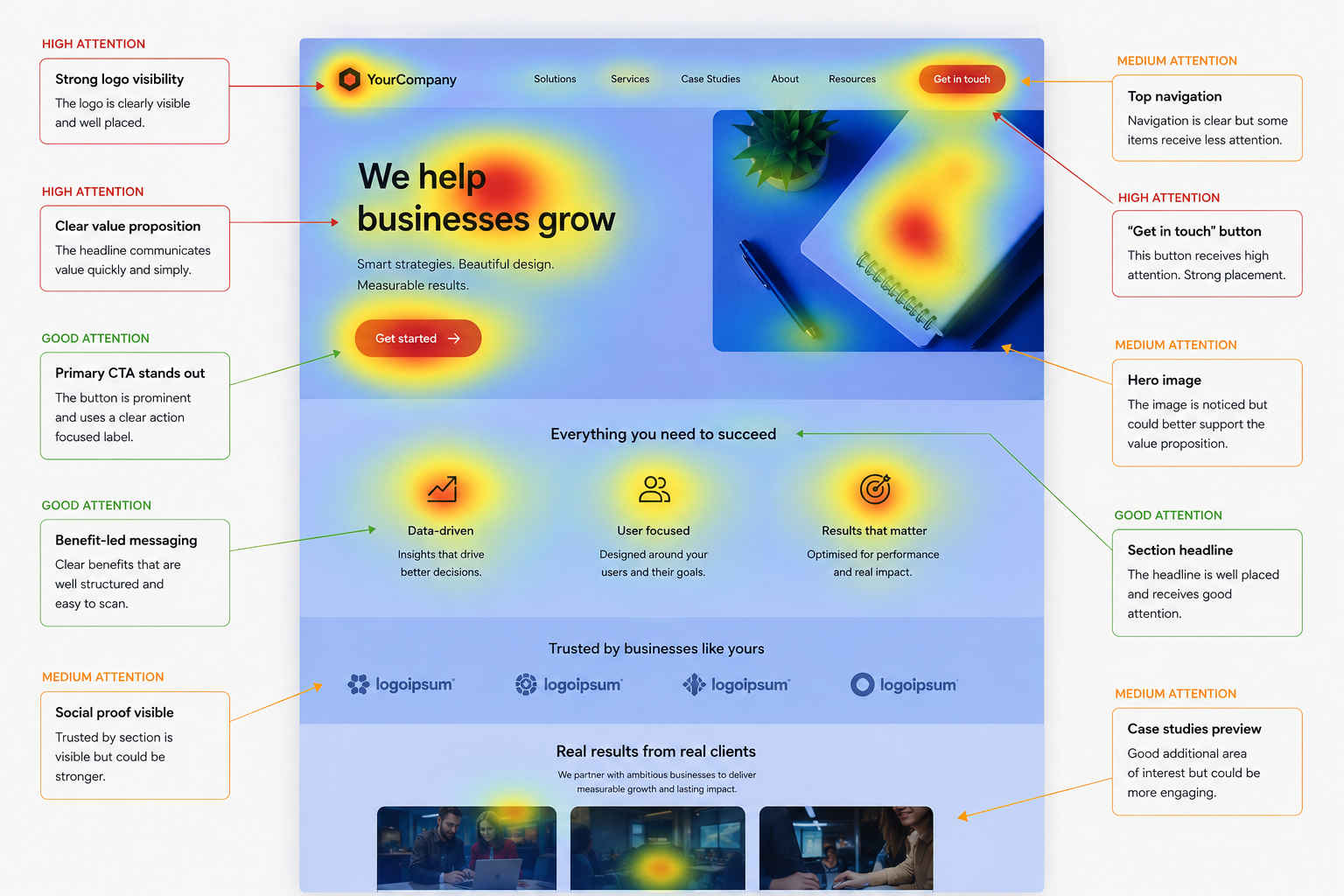
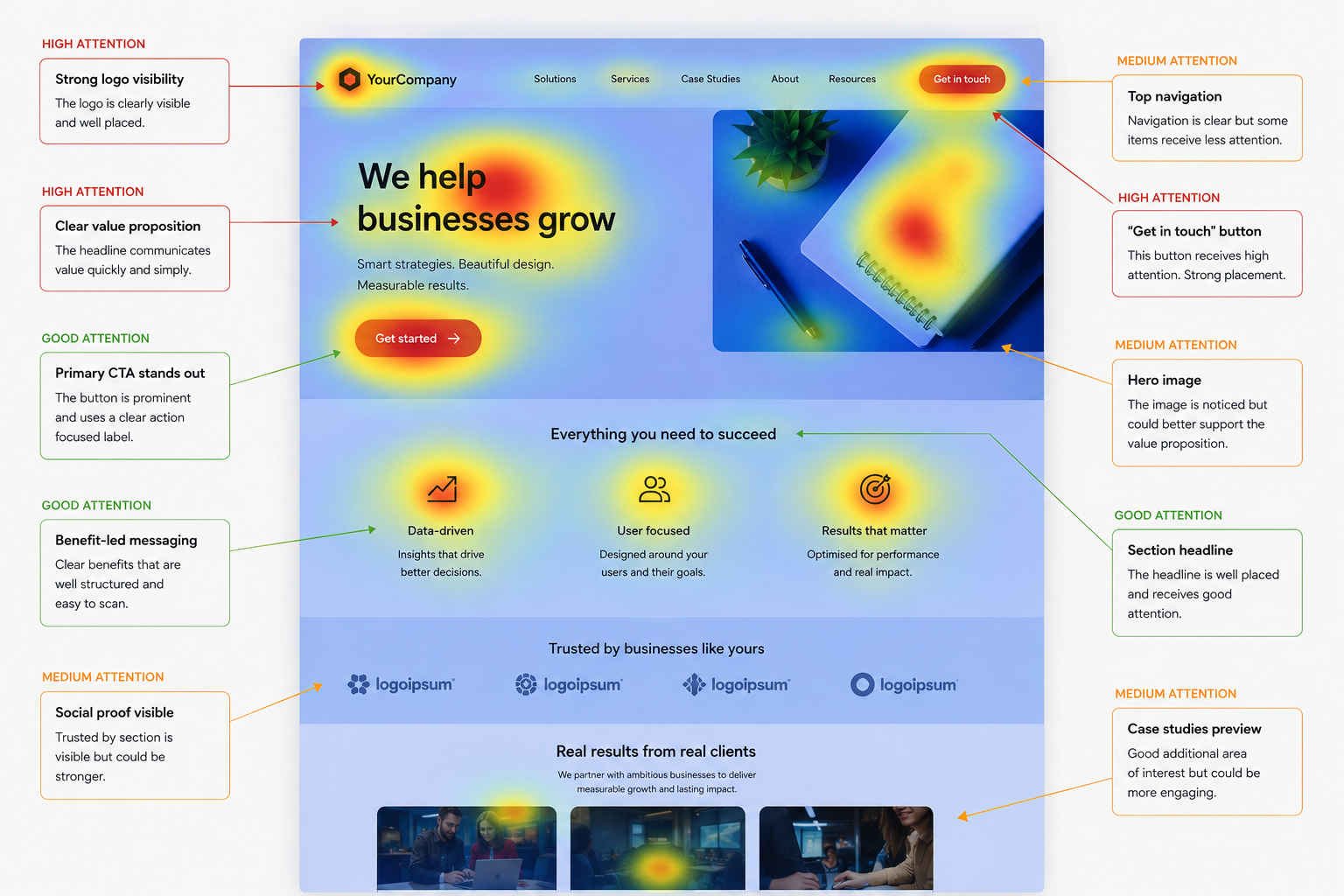
A new website is a starting point, not a finished product. On larger sites we use tools such as Optibase for A/B tests, heatmaps, session recordings and personalisation, and AI helps us generate test ideas and read the results faster.
The platform matters here. On a Webflow site, changing a headline or launching a test variation takes minutes rather than a developer ticket, which is why we build most new sites on it. When testing is cheap, you do more of it, and that's where the steady gains come from. Our conversion rate optimisation service is built around that monthly rhythm.
6. Accessibility and consistency checks
AI tools can scan every template for common accessibility problems, such as missing alt text, poor contrast and unlabelled form fields, and for inconsistencies like a service called three different names across the site. That's valuable breadth on a large build.
It isn't a substitute for proper accessibility review against the W3C Web Accessibility Initiative standards, or for watching real people use the site. Nielsen Norman Group's research shows that testing with just five users uncovers most usability problems, and a few short sessions before launch still catch things no scan will.
7. Designing for search, including AI search
More people now get answers from AI Overviews and assistants before they visit a website. It's tempting to chase special tactics for that, but Google's own guidance says there are no extra requirements for appearing in its AI features: the same fundamentals of helpful, well-structured, crawlable content apply.
So on a new site we design pages that answer real questions clearly, with descriptive headings, FAQs drawn from actual enquiries, and structured data where it helps. That's good for people, good for Google and good for AI tools. Our practical SEO guide covers the detail.
Where AI shouldn't lead
AI doesn't know your customers, your margins or what makes you different from the firm down the road. Left to itself it produces websites that look like everyone else's. The methods above work because a senior designer decides what to build, what to test and what to throw away; AI just gets us there faster.
If you already have a site and want to know what to fix before you rebuild, start with an audit. Our post on AI UX audits explains what AI finds and what it misses, and our CRO audits turn that into a ranked action plan.
Planning a new website? Get in touch and we'll show you how these methods would work on your project.